
How do I apply a Promo Code
Adding a Promo Code to your Order from the Twindo app
- Create an Order [How do I place an Order]
- On the cart screen, Expand the Add-Ons & Discounts Section
- Type Promo Code
- Tap Apply
- Code will be applied, code and discount can be removed

Adding a Promo Code to your Order from Twindo.com
- Create an Order: Select the scans you wish to receive, then choose your format and proceed to the checkout screen [How do I place an Order]
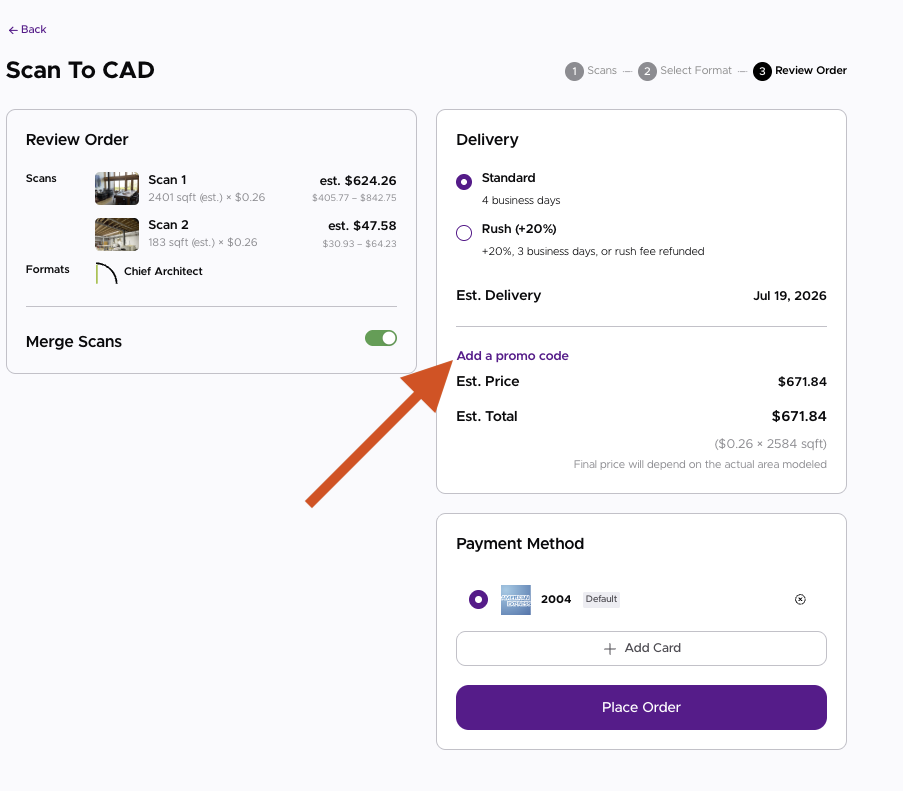
- At Checkout: click "Add a Promo Code"
-
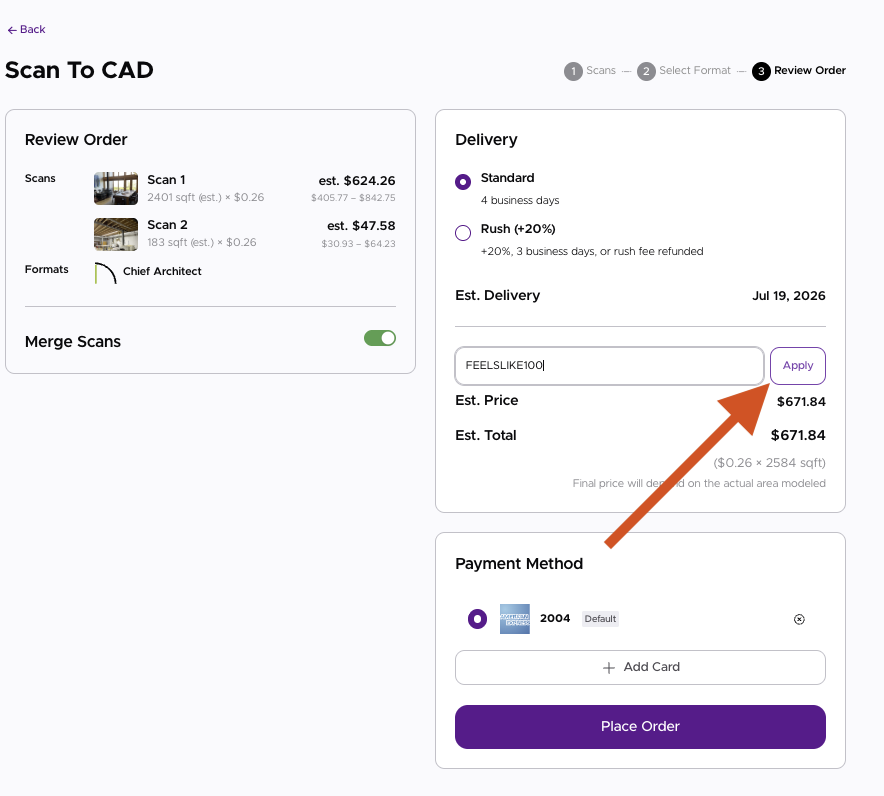
- Enter the code + Apply it to the order: Use the text box to enter your code, then click "Apply"
-
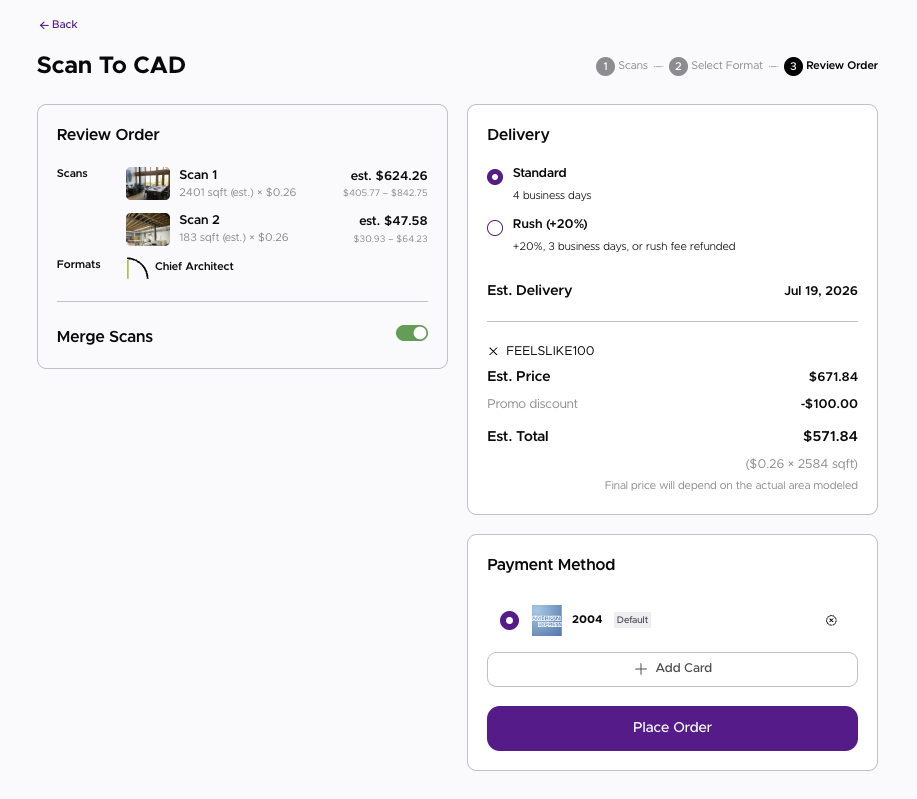
- The code is now applied to the order, and can be removed using the X button
-
*Only one promo code can be used per order. Promo code cannot be applied retroactively; it must be applied when the order is placed. Anything under the code value is forfeited, i.e., we can't "give change."
Promotions and Discounts are subject to change without notice. Please subscribe to Twindo.com emails for promotions.